A Product Growth Scanner for Your Website
Agent Analytics turns your public site into a prioritized measurement plan and shows your coding agent the data you are not collecting yet.

Most analytics tools start after you already know what to measure. That is backwards.
The hard part is looking at a real website and deciding which actions actually matter. Where does curiosity turn into intent? Which outcome proves the product is working? Which events would create useful answers, and which ones would just create noise?
Agent Analytics now has a Product Growth Scanner:
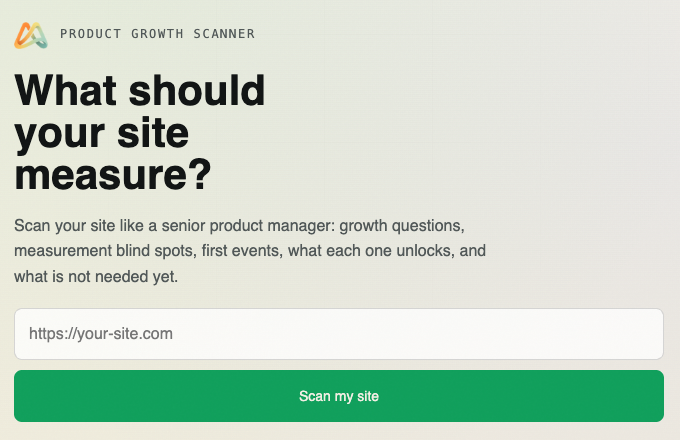
Paste in a URL and it reads the site like a senior product manager or growth lead would. It looks for the decisions your site is trying to drive, the blind spots in your current measurement, and the first signals worth collecting.
It returns a site-specific measurement plan:
- the growth questions your site should answer
- the measurement blind spots blocking those answers
- the first events worth installing
- what each event unlocks
- what not to measure yet
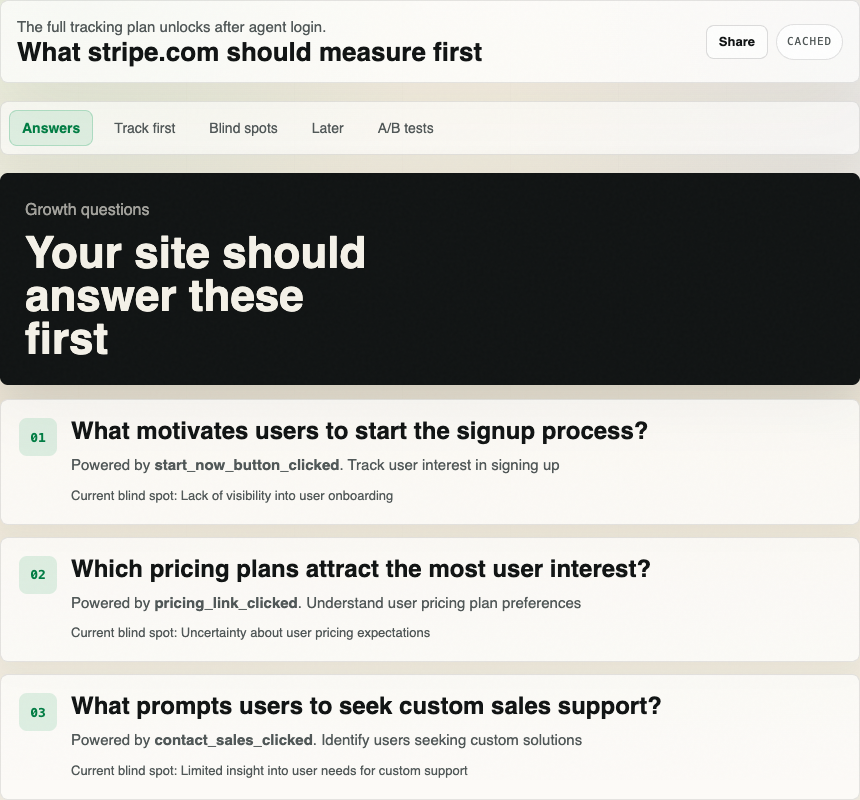
Better analytics is not more events. Better analytics is knowing which events help you make the next product decision.
The scanner is useful on its own, but the important part is what happens next. The measurement plan becomes context your agent can carry into setup.
That is the product loop we care about:
analyze the site, find the blind spots, install the first measurement plan, then let your agent answer growth questions from real traffic.
It is not only giving your AI agent analytics data after tracking is installed. It is giving the agent eyes on the data you may not be collecting yet.
For a deeper pass, ask your agent to scan the additional websites you own: the marketing site, docs, pricing page, app signup surface, support site, changelog, launch page, or any public page where visitors make a product decision. Each scan gives the agent another view of what the product is trying to make users do and which signals are missing.
This belongs in the setup routine
The right time to use this is before your agent adds custom events, and again when you want it to understand another owned website or product surface.
When you ask an agent to install Agent Analytics, it should not guess a generic event list. It should first get a site-specific measurement plan, scan any other owned surfaces that belong in the same growth loop, then install only the highest-priority instrumentation.
That is now the normal Agent Analytics setup shape:
- your agent analyzes the public root page
- it scans any additional owned public surfaces that should shape the plan
- it reads the prioritized measurement plan and blind spots
- it creates or links the Agent Analytics project
- it installs the tracker plus the first recommended events
- it verifies the first useful event
- it explains which growth questions your site can now answer
The public page is a fast way to start that loop, especially before login. The same routine also works from the CLI and the Agent Analytics skill:
npx --yes @agent-analytics/cli@0.5.25 scan https://mysite.com --json
npx --yes @agent-analytics/cli@0.5.25 scan https://docs.mysite.com --json
npx --yes @agent-analytics/cli@0.5.25 login
npx --yes @agent-analytics/cli@0.5.25 create my-site --domain https://mysite.com
npx --yes @agent-analytics/cli@0.5.25 scan --resume <analysis_id> --resume-token <resume_token> --full --project my-site --json
The command names are implementation details. The workflow is the point: give the agent product judgment and product eyes before it touches your code.
What the agent should do with it
The first result is intentionally small. It is not trying to list every possible event.
Your agent should start with minimum_viable_instrumentation, explain what each event unlocks, and skip tempting low-signal tracking until the first useful answer exists.
For example, a good agent task is:
Use the website scanner to review this product before setup. If this product has other owned public websites or pages that shape the growth loop, scan those too and tell me what data we are not collecting yet. After browser approval, create or identify the matching project, install the project-owned tracker, add only meaningful events tied to this product's goals, explain what each event enables, and verify the first useful event.That prompt is different from “add analytics.” It asks the agent to decide, install, and verify.
Try it
Docs: Product Growth Scanner